
Academy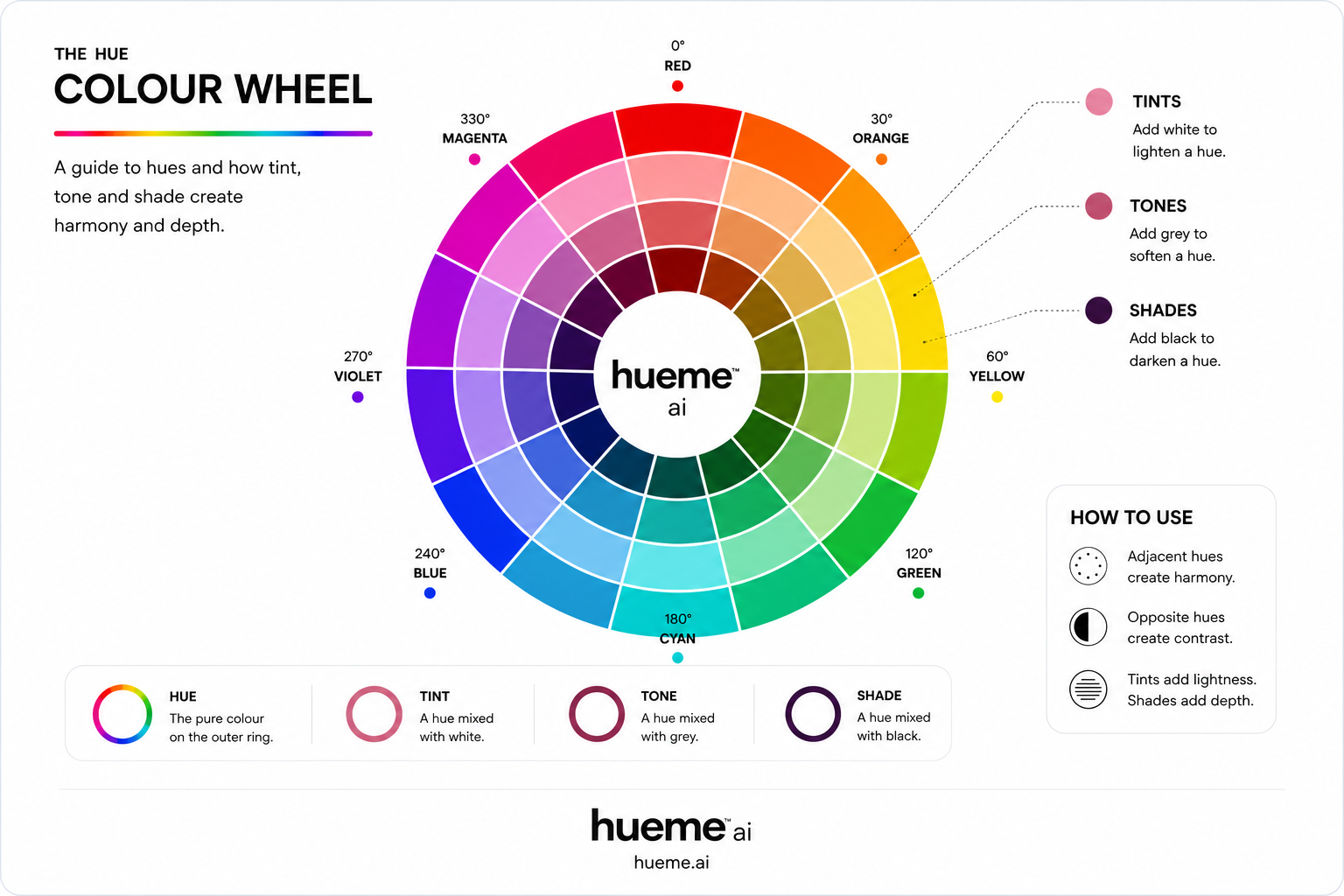
Tools
Interactive colour wheel.
Click any wedge to set a base hue. Switch between the classical harmony rules and watch the palette rebuild itself. A quick way to feel how the wheel actually behaves.
RED + GREEN
tap a wedge
Opposites on the wheel. Maximum vibrance and contrast.
Red#E23636
Green#36E253
The wheel in full
Let's take a closer look.
Outer ring is the pure hue. Move inward and you pass through tints (mixed with white), then a tone, then a shade. The same hue, three completely different moods.
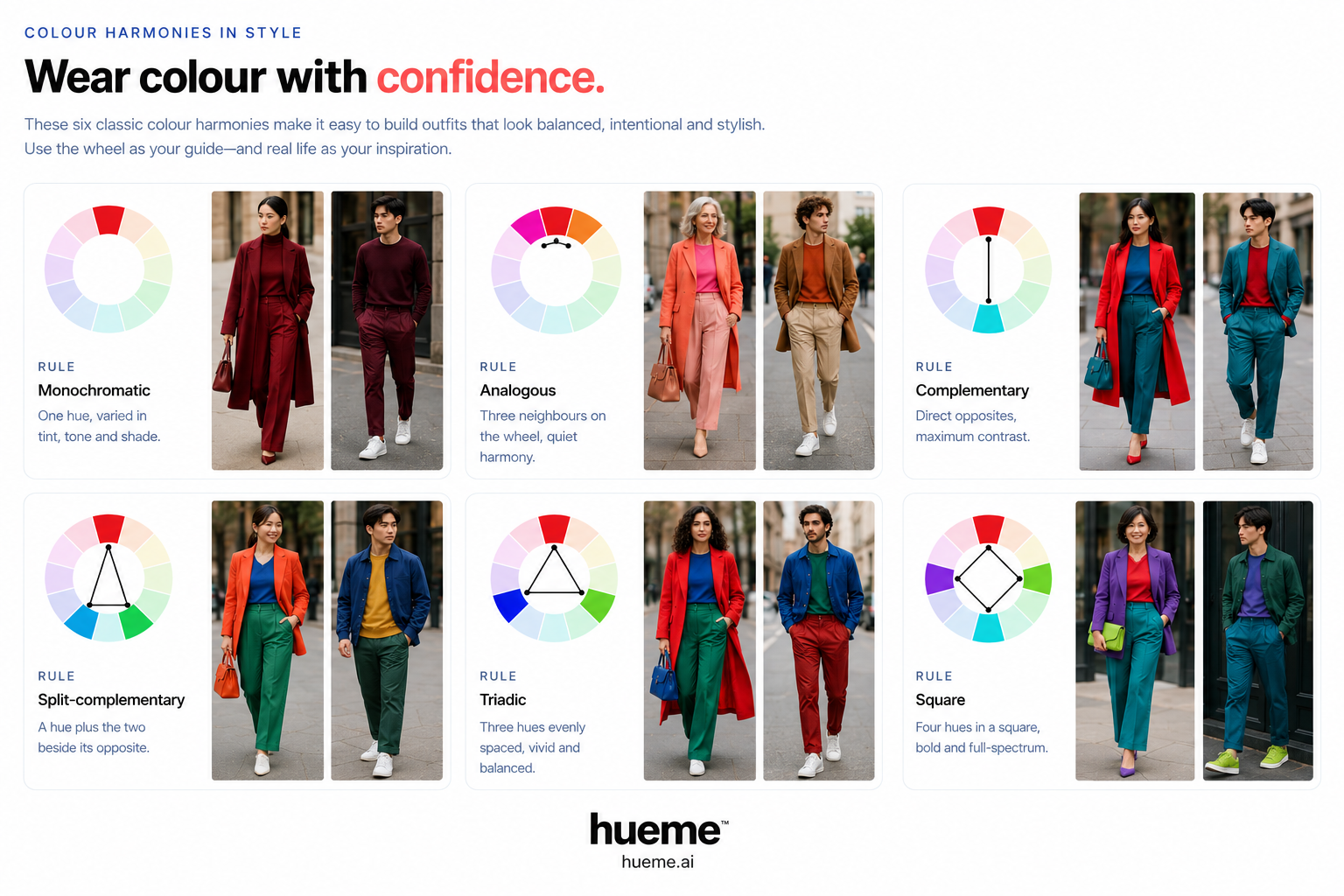
Six classical rules
Harmonies at a glance.
The same six rules behind every palette you've ever loved — and the shortcut stylists use to put an outfit together.